Deploy the PDP on AWS ECS Fargate
Run the Permit.io policy decision point (PDP) as an Amazon Elastic Container Service (ECS) service on AWS Fargate. This page is for operators who run workloads on AWS and want a PDP inside their VPC, including for applications on AWS Lambda.
Prerequisites
- An AWS account with permission to create ECS clusters, task definitions, and services.
- A VPC that your application runs in.
- Your environment API key. See Get your API key.
Example task definition
The ECS task definition example in the permit-pdp-deployments-examples repository is a working starting point. The example:
- Runs
permitio/pdp-v2:lateston Fargate with 512 CPU units and 1024 MiB of memory. - Maps container ports
7000and8181. - Reads
PDP_API_KEYfrom AWS Secrets Manager. - Sends logs to CloudWatch Logs.
To use the example, replace the <ACCOUNT ID>, <SECRET NAME>, and role placeholders with your own values. The steps below create the same setup in the ECS console.
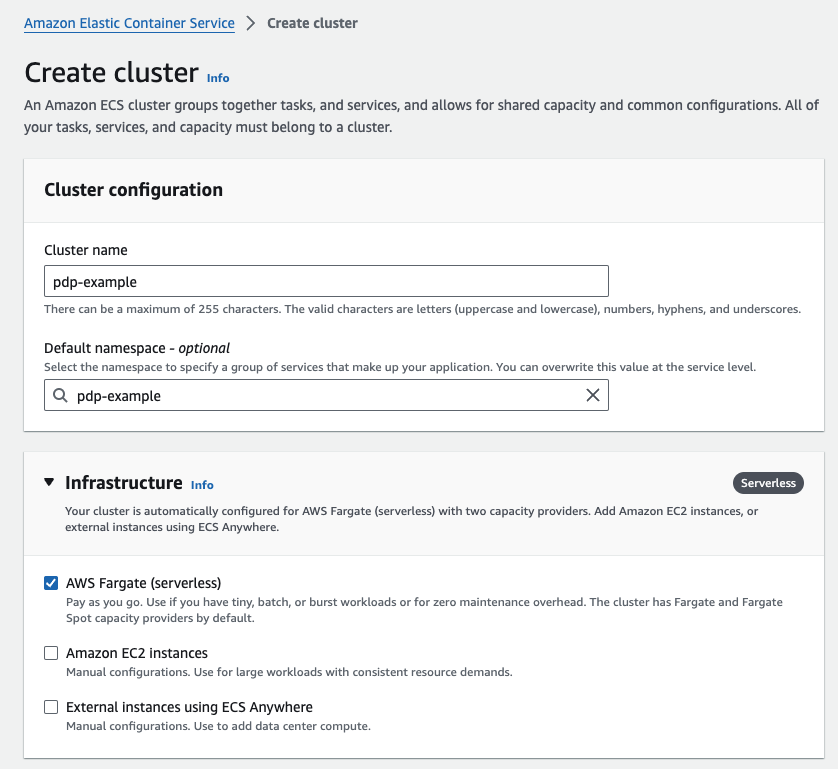
1. Create an ECS cluster
In the ECS console, create a cluster. Under Infrastructure, select AWS Fargate (serverless).
2. Create a task definition for the PDP
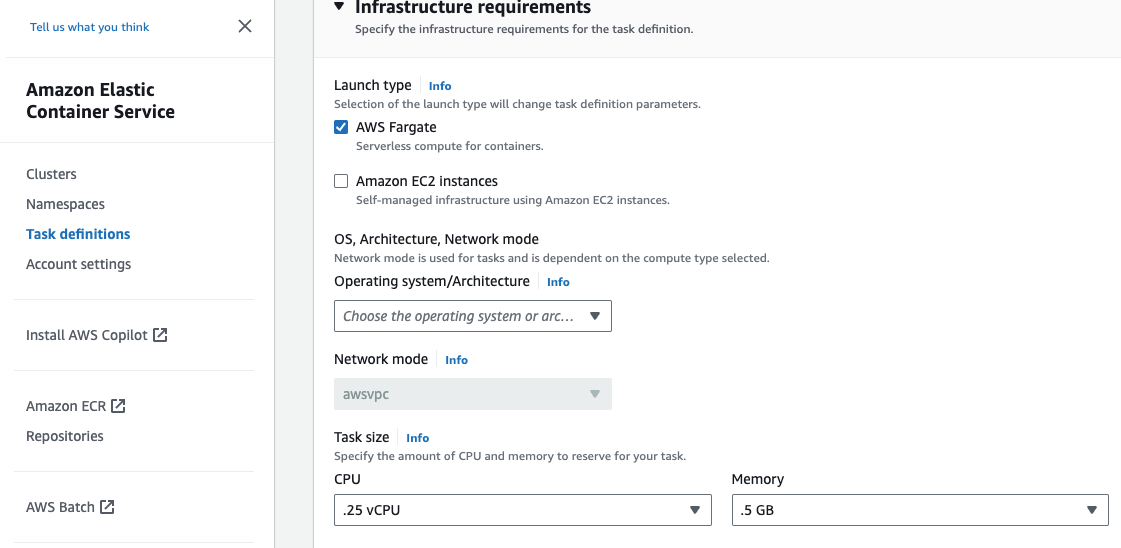
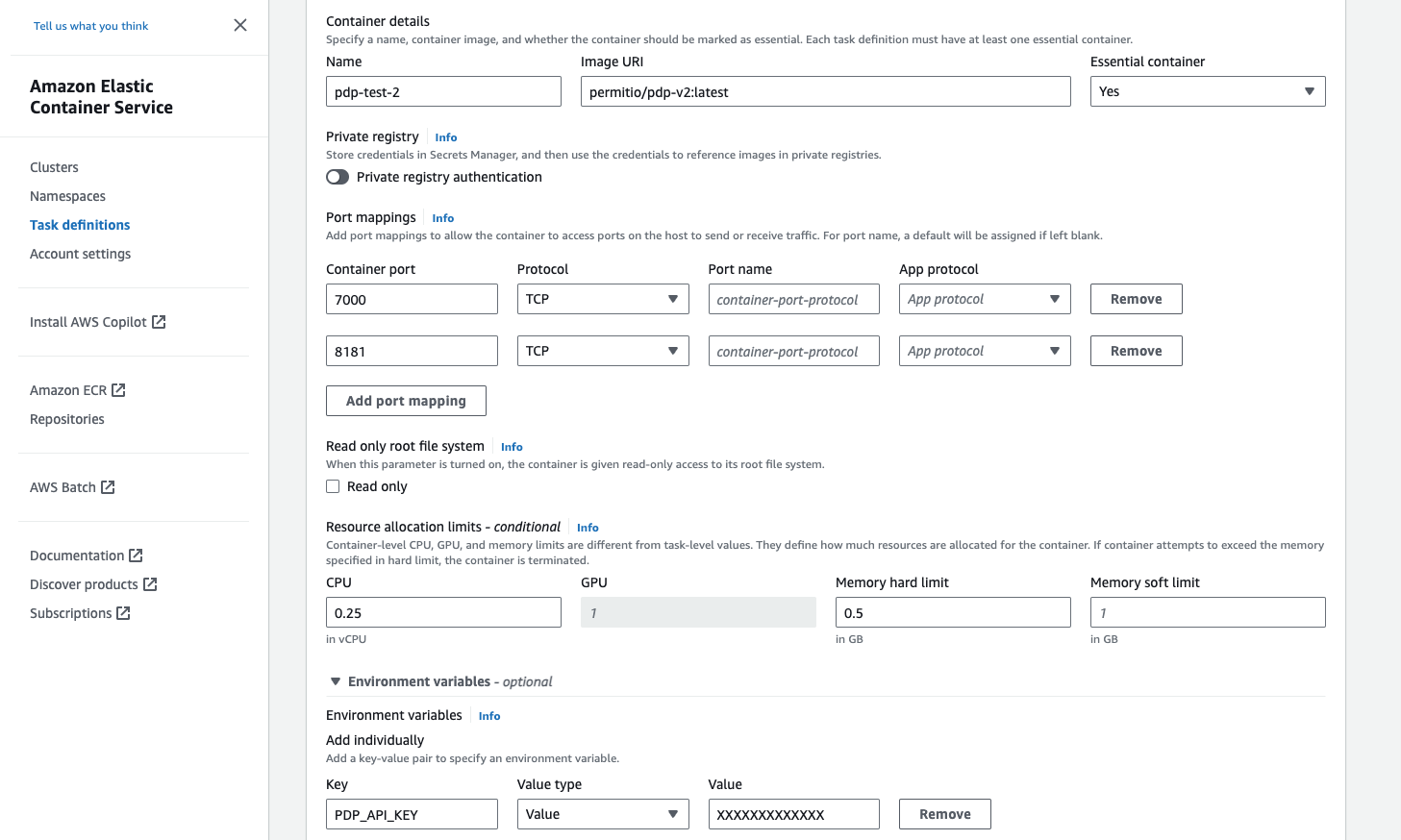
In the ECS console, create a task definition with a Fargate launch type and these settings:
| Setting | Value |
|---|---|
| Image URI | permitio/pdp-v2:latest |
Container port 7000 | Required. The PDP API port. The SDKs send permit.check() requests to this port. |
Container port 8181 | Optional. The port of Open Policy Agent (OPA) inside the PDP. Open it only to call OPA directly. |
| CPU and memory | Start with 1 vCPU. Increase CPU and memory for high load. See System requirements and performance. |
PDP_API_KEY environment variable | Your environment API key. Store the key in AWS Secrets Manager and reference it, as the example task definition does, so the key doesn't appear in plain text in the task definition. |
PDP_OPA_CLIENT_QUERY_TIMEOUT environment variable | Optional. Timeout in seconds for each query from the PDP to OPA. The default is 1. Raise it for heavy queries, such as bulk checks or listing a user's tenants. |
3. Create an ECS service that runs the PDP
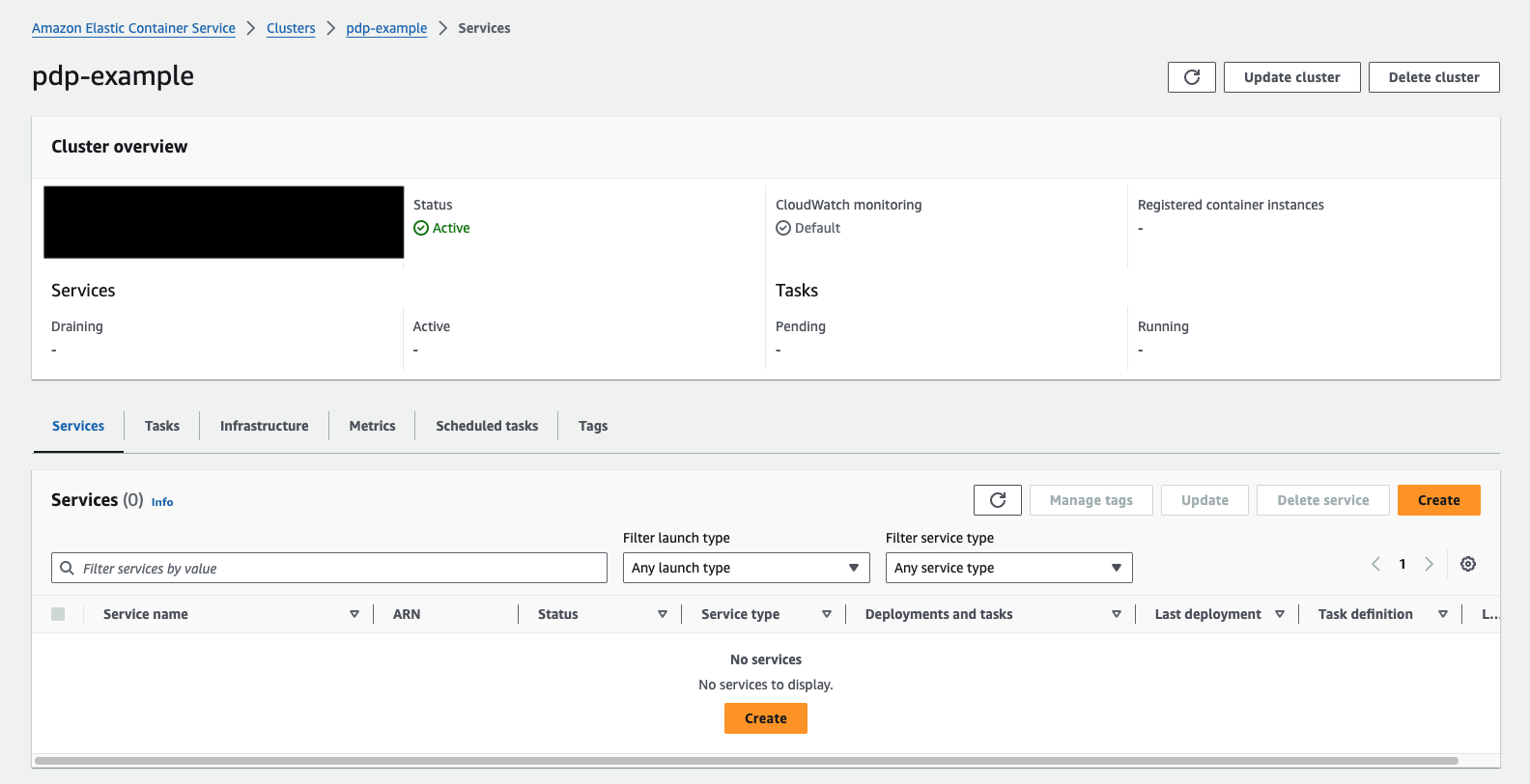
- Open the cluster, go to the Services tab, and click Create.
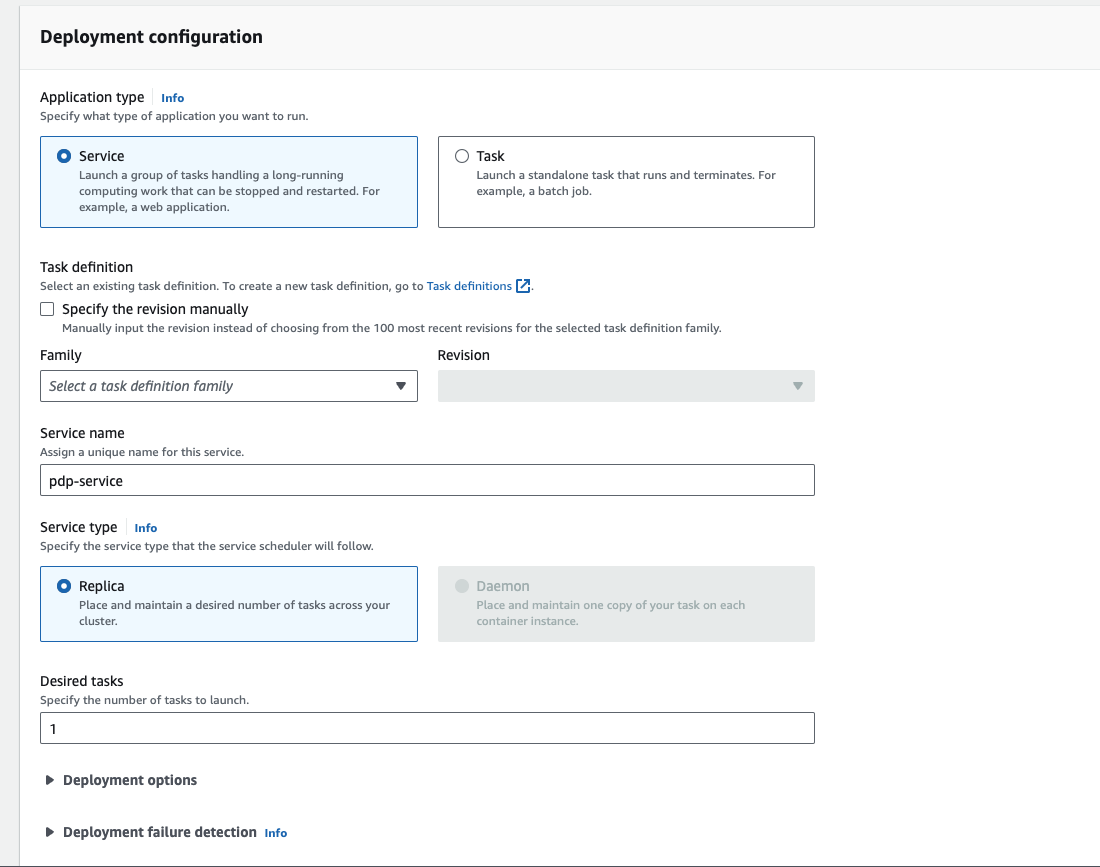
- Under Deployment configuration, choose Service as the application type, select the PDP task definition family, name the service, and set Desired tasks.
- Under networking, choose the VPC and subnets your application runs in. Choose a security group that allows inbound TCP on port
7000from your application. - Create the service.
Anyone who can reach port 7000 on the PDP can send it permission checks. Allow inbound traffic only from your application's security group, and don't assign a public IP address unless you need one.
4. Verify the PDP is running
- In the cluster's Tasks tab, confirm the PDP task has the status Running.
- From a host in the same VPC, send a
GETrequest tohttp://<PDP_TASK_ADDRESS>:7000/health. Replace<PDP_TASK_ADDRESS>with the task's private IP address. A healthy PDP returns HTTP200with"status": "ok".
If the task stops, read the container logs, for example in CloudWatch Logs when the task definition uses the awslogs log driver. An invalid PDP_API_KEY stops the PDP at startup.
5. Connect your application to the PDP
Set the PDP URL in your SDK to http://<PDP_ADDRESS>:7000, where <PDP_ADDRESS> is the address your application uses to reach the service, such as a load balancer or a service discovery name. See Connect your SDK to the PDP.