Get your API key
Copy the environment API key that your application, the Permit SDK, and your policy decision point (PDP) use to authenticate with Permit.io. Each API key belongs to one environment, so copy the key of the environment your application connects to.
Permit Nexus PDP does not accept the environment API key. Set Nexus PDP's PDP_API_KEY, and the token of every SDK or service that queries it, to the environment's Nexus PDP API key.
Prerequisites
- A Permit.io account with a project and an environment. See Projects and environments.
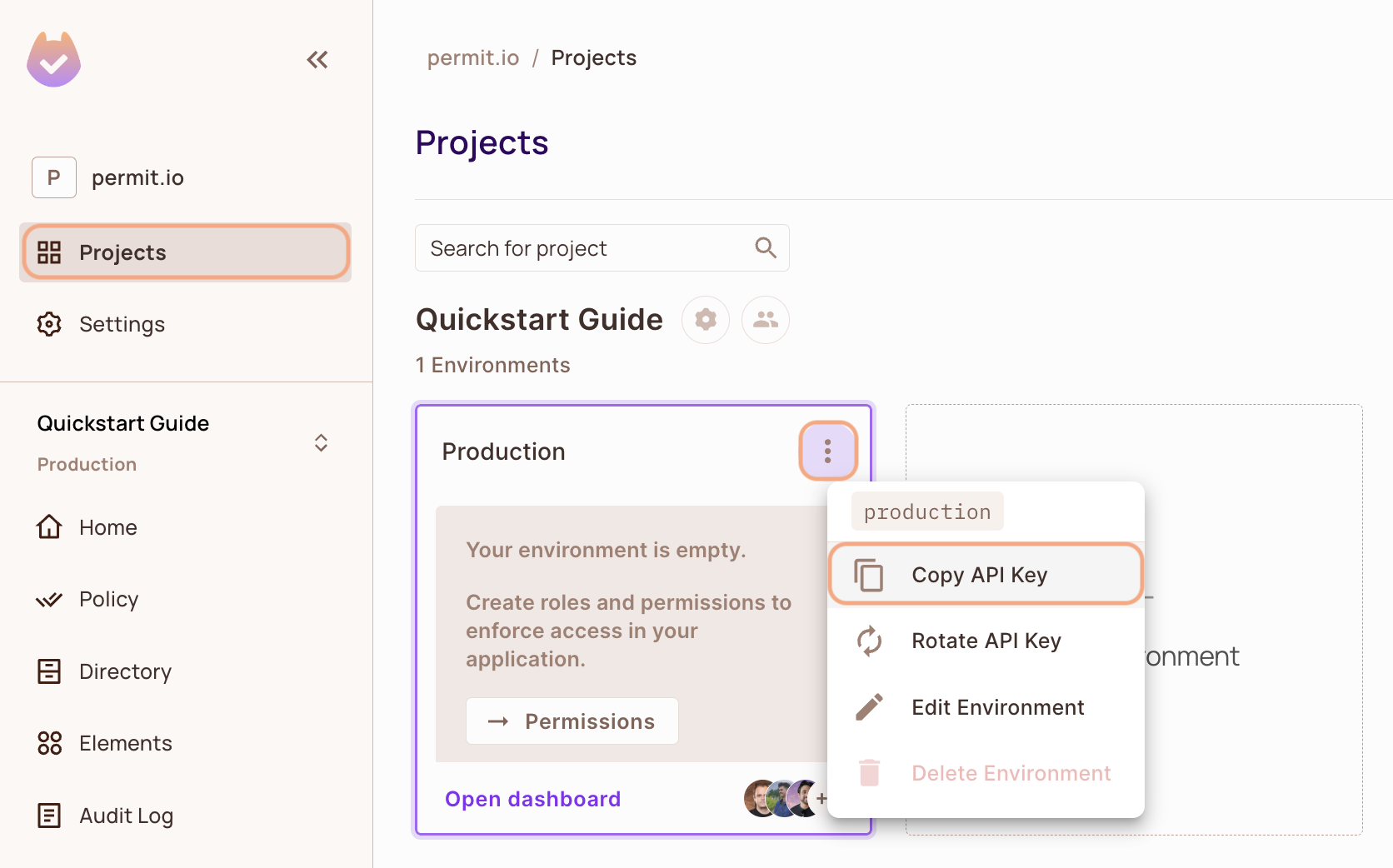
Copy the API key from the Projects screen
- Open the Permit dashboard and go to the Projects screen.
- Find the project and the environment your application connects to.
- On the environment card, click the
 in the top-right corner.
 - Choose Copy API Key from the menu. The API key is copied to your clipboard.
Copy the API key from the user menu
You can also copy the API key of the active environment. Click your user icon in the top-right corner, then choose Copy Environment Key.
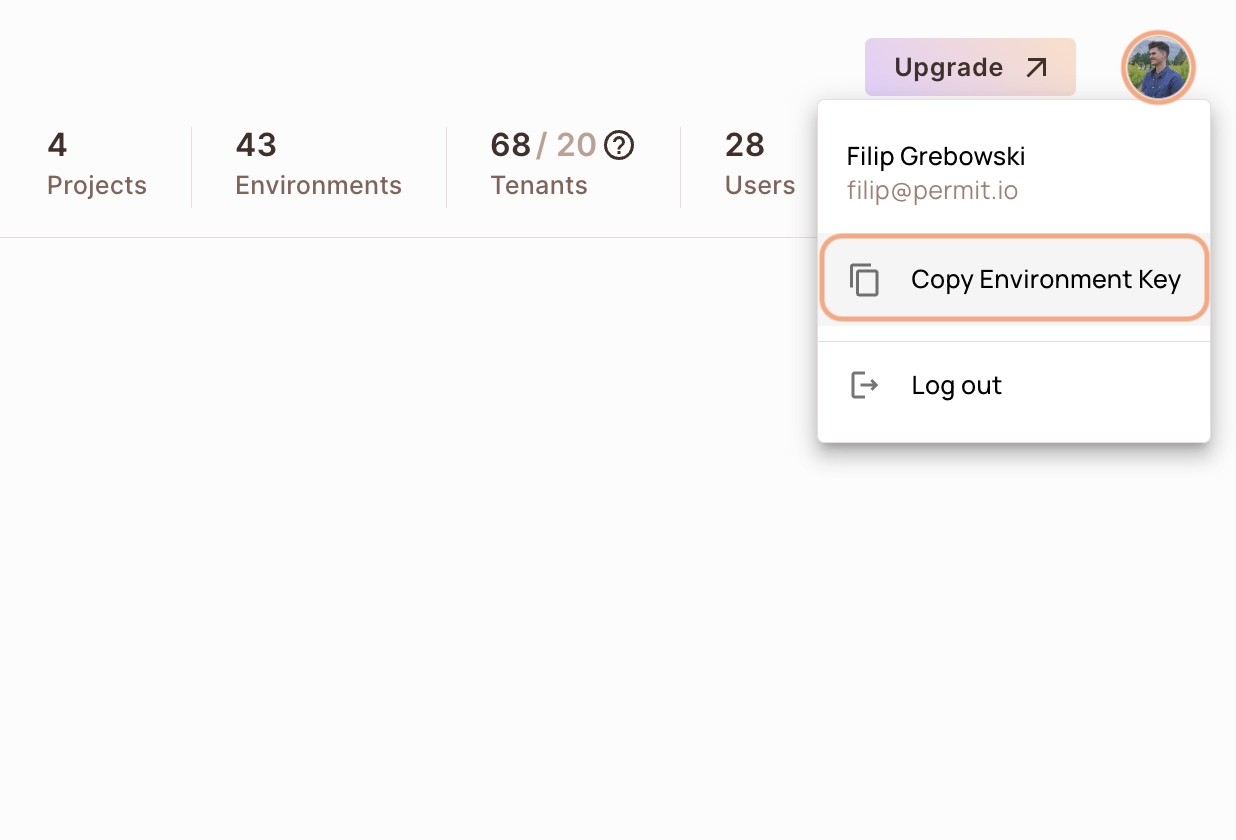
Copy Environment Key copies the API key of the environment that is active in the sidebar. If you switch the active environment and click Copy Environment Key again, you copy the API key of the newly active environment, which is a different key.
Keep the API key secret
Anyone with an environment API key can call the Permit API for that environment, including changes to its policy. Load the API key from an environment variable or a secrets manager, and don't commit it to source control.
Verify the API key
Send a request to the API key scope endpoint. Replace [YOUR_ENV_API_KEY] with the key you copied:
A valid environment API key returns the IDs of the organization (workspace), project, and environment the key belongs to: